


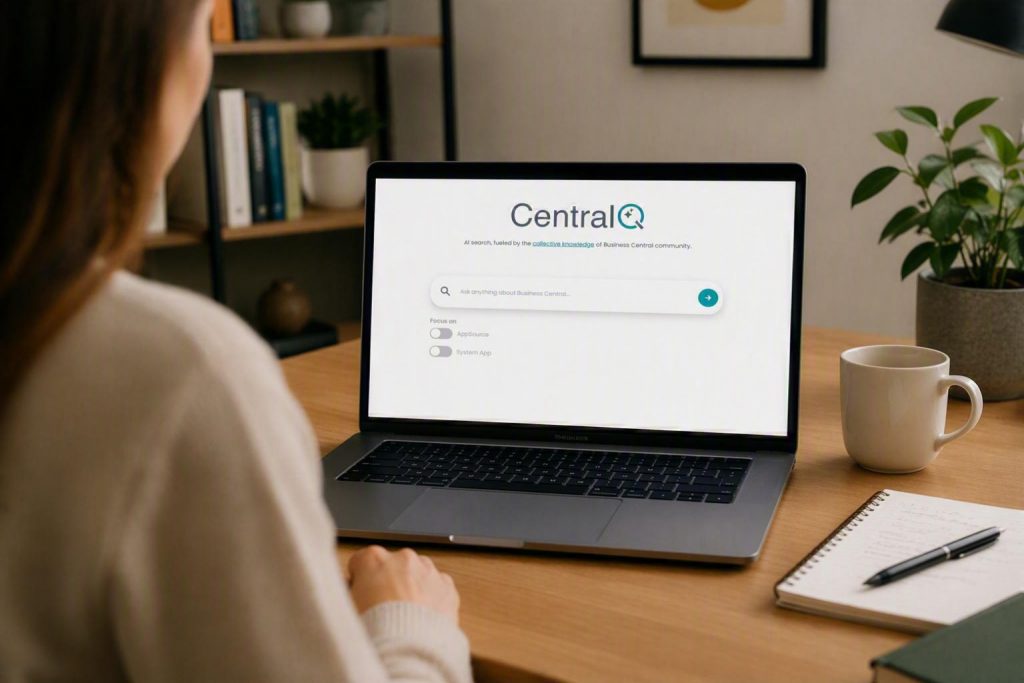
Anyone who works with Microsoft Dynamics 365 Business Central on a daily basis knows these moments: a feature is not immediately clear, a process raises questions, or a specific setting needs to be understood quickly. Not every one of these questions is automatically a support case – and yet it still costs valuable timeto click through documentation, forums, or internal materials.
This is exactly where Central Q comes in. The AI-powered search and chat tool was developed specifically for Business Central and helps you find the right answers faster. Instead of searching for a long time, you simply ask Central Q your question directly and receive an easy-to-understand answer based on various knowledge sources, including official Microsoft documentation, community knowledge, and, if needed, your own documents.
This makes knowledge more easily accessiblein day-to-day work. But what exactly can Central Q do, how does the tool work, and what added value does it offer companies that want to use Business Central more efficiently? You will find out now.
Central Q: Your AI assistant for Business Central
Central Q is an intelligent search and chat tool developed specifically for Microsoft Dynamics 365 Business Central. The tool helps you ask questions about Business Central directly in natural language – similar to a chat. Instead of working through various documentation pages, forums, or individual search results, you receive a formulated answer based on relevant knowledge sources.
The advantage: Central Q does not simply provide a list of possible results, but presents information in a clear and understandable way. You can formulate your question specifically, ask follow-up questions, or explore a topic in greater depth. This creates an interactive exchange that is especially helpful in day-to-day work when you need quick guidance or want to better understand a specific process in Business Central.
According to the provider, the Central Q Chat can incorporate various knowledge sources – including official Microsoft Learn content, knowledge from the Business Central community, and, if needed, your own uploaded documentation, manuals, or guides. This allows answers to be aligned not only more generally, but also more closely with the respective Business Central environment.
In short: Central Q makes Business Central knowledge more accessible. The tool helps you find answers faster, better understand correlations, and become more confident when working with Microsoft Dynamics 365 Business Central.
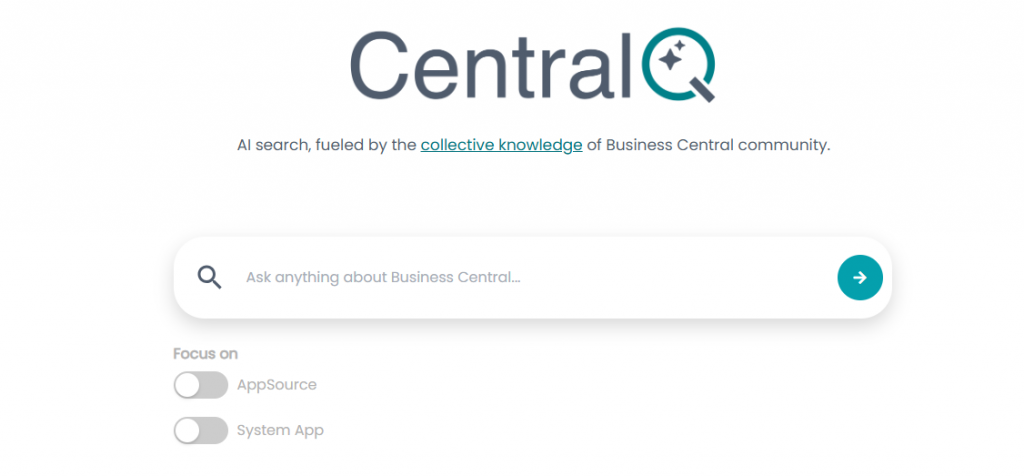
Spend less time searching and get back to work faster with Central Q
Relevant knowledge about Microsoft Dynamics 365 Business Central is often spread across various sources: official documentation, community posts, internal guides, or practical knowledge within the team. This information is valuable, but it is not always available exactly where you need it in your day-to-day work..
Central Q addresses this by bringing together various knowledge sources in one search and chat interface. According to the provider, Central Q can access Microsoft Learn, community content, and, optionally, your own uploaded documentation.
For you and your company, this means:
- Less search effort: Your users do not have to search through multiple documentation pages, forums, or internal repositories individually.
- Faster orientation: Questions about features, settings, or processes can be clarified directly in day-to-day work.
- Greater independence: Users can find many answers on their own, without immediately passing every question on to key users, consultants, or support.
- More usable knowledge: Information from different sources is made centrally accessible and easier to find.
- Relief for internal contacts: Recurring questions can be answered more quickly, giving key users and support teams more time for more complex topics.
- More efficient use of Business Central: When knowledge is available more quickly, processes can be better understood and carried out with greater confidence.
From question to answer: How Central Q delivers results
Using Central Q is deliberately kept simple: you ask your question about Microsoft Dynamics 365 Business Central in everyday language — just as you would ask a colleague or support. This could be a general question about a feature, a specific uncertainty within a process, or a topic you would like to understand in more detail.
Central Q then analyzes your input using AI and searches for relevant information across various knowledge sources.
Instead of only showing you a list of possible search results, Central Q summarizes the relevant information in a single answer. At the same time, source links are displayed so you can see what the answer is based on and, if needed, explore the topic in greater depth.
This point is particularly important in an ERP context: information should not only be available quickly, but also be verifiable and traceable.
A simple example: You want to know how to cancel a sales invoice in Business Central. Instead of searching through various documentation yourself, you ask Central Q your question directly:
“How can I cancel a sales invoice in Business Central?”
Central Q then provides a clearly formulated answer, refers to relevant sources, and allows you to ask further follow-up questions — creating an interactive exchange that helps you arrive at the right solution faster.
Microsoft knowledge, community experience, and your own documents in one place
For answers to be truly helpful in day-to-day ERP work, it is important that information is traceable, up to date, and placed in the right context.
Central Q uses up-to-date knowledge sources for this purpose. These include content from Microsoft Learn, Microsoft’s official documentation and learning platform, as well as knowledge from the Business Central community. Central Q can also incorporate your own uploaded documentation, manuals, or guides to align answers more closely with the respective Business Central environment.
Laurie´s advantage lies in the combination: official Microsoft documentation provides a reliable professional foundation, while community content often adds practical experience, specific use cases, or helpful solution approaches from everyday work. Your own company documents can further sharpen the context — for example, when internal processes, individual customizations, or specific ways of working need to be taken into account.
Transparency is particularly helpful here: Central Q does not simply present an answer without context, but displays the sources that led to the answer. This allows you to better classify the information, verify it if needed, and directly access further content. For companies, this is an important point, because especially in an ERP environment, answers should not only be fast, but also traceable.
Who can benefit most from Central Q?
Central Q is particularly suitable for you if you already use Microsoft Dynamics 365 Business Central actively in your day-to-day operations and want to make it easier for your users to access knowledge. Especially when questions about features, processes, or settings arise regularly, Central Q can provide valuable support. The tool is particularly interesting if you:
- have departments that work with Business Central on a daily basis
- want to relieve key users who frequently receive questions from the team
- want to support internal IT teams in reducing support effort
- work with individual processes or your own documentation
- want to onboard new users faster and in a more structured way
- want to make Business Central knowledge more centrally available
Central Q can also provide concrete added value when onboarding new employees . Anyone getting started with Business Central often has many smaller questions — about features, process steps, terminology, or specific workflows in the system. Central Q helps answer these questions more quickly and makes it easier to get started with Business Central.
At the same time, experienced users also benefit. Even if you and your team work with Business Central regularly, not every feature is always present in detail. Central Q can help refresh knowledge, improve understanding of connections, and classify new features more quickly. This means Business Central knowledge is not only documented, but also made more usable in day-to-day work.
Central Q does not replace consulting — but it adds real value to everyday work
The Tool does not replace individual consulting, in-depth process analysis, or technical assessment of complex requirements. Especially when it comes to company-specific customizations, strategic decisions, or fundamental process changes, the assessment of experienced Business Central experts remains important.
Central Q should therefore not be understood as a replacement for consulting or support , but as complementary support in day-to-day work. The tool can help users find guidance more quickly, clarify simple questions independently, and make better use of existing knowledge.
For more complex topics, it is important to carefully examine the specific system environment, individual processes, and functional requirements. This requires experience, contextual understanding, and a thorough assessment of the respective situation.
This is exactly where the added value lies: Central Q supports quick knowledge-related questions in day-to-day work, while consultants and key users can focus more on more complex topics .
Making Business Central knowledge directly usable with Central Q
Central Q brings answers to where they are needed in day-to-day work: directly to your users. Instead of spending a long time searching for information or passing every question on to key users, internal contacts, or support, questions about Microsoft Dynamics 365 Business Central can be clarified faster, more clearly, and more transparently.
This makes Central Q particularly valuable for companiesthat want to use Business Central more efficiently, make internal knowledge more accessible, and relieve their teams in day-to-day work. Whether for recurring user questions, onboarding new employees, or quickly looking up features and processes: Central Q helps you make more targeted use of existing knowledge.
It is important to classify this correctly: Central Q does not replace individual consulting or in-depth process analysis. It complements your day-to-day work with Business Central wherever quick guidance is needed and creates more room for the topics where experience, system knowledge, and personal consulting are essential.
Would you like to know whether Central Q is also a good fit for your Business Central environment? Then feel free to get in touch with us. You can contact us directly via our contact form. Together, we will assess how Central Q can support your users, improve your internal knowledge processes, and make day-to-day work with Business Central more efficient.